📢 Latest Updates

MediaMonkey Gold 5 (Lifetime License)

(0/5)

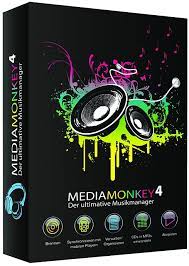
MediaMonkey serves as an advanced music manager and media jukebox specifically designed for dedicated music enthusiasts and iPod users. Its primary function is to meticulously catalog a wide range of audio file formats, including CDs, OGG, WMA, MPC, FLAC, APE, WAV, and MP3. The software goes beyond a mere cataloging tool by actively seeking and retrieving missing Album Art and track information through Freedb and online sources. Additionally, MediaMonkey features a sophisticated tag editor, providing users with intelligent tools for editing and managing metadata, ensuring a well-organized music library.

One of the standout features of MediaMonkey is its player, which automatically adjusts volume levels. This eliminates the need for constant manual adjustments, offering a seamless listening experience. The software supports an extensive array of Winamp plug-ins and visualizations, providing users with a highly customizable and feature-rich playback environment. Alternatively, users can opt to use Winamp as the default player within the MediaMonkey interface.

MediaMonkey goes beyond playback and organization; it incorporates essential tools for music manipulation and preservation. The software includes a CD ripper for extracting audio from CDs, a CD/DVD burner for creating physical copies, and an audio converter for format conversion, ensuring compatibility with various devices. The playlist editing functionality, available in both manual and automated modes, enables users to craft personalized music mixes effortlessly.

Furthermore, MediaMonkey caters to the needs of users with portable audio devices. It facilitates synchronization with devices such as iPods, ensuring that tracks and playlists seamlessly transfer between the software and portable gadgets. This feature enhances the flexibility and mobility of your music collection, allowing you to enjoy your curated playlists on the go.

In essence, MediaMonkey stands out as a comprehensive music management solution, offering an all-encompassing suite of features to cater to the diverse needs of serious music collectors and iPod users alike. Whether it’s organizing, playing, converting, or syncing music, MediaMonkey provides a robust and user-friendly platform for managing your entire music library.

MediaMonkey Standard Version Features:

  • Organize music and edit tags in your audio library with a powerful, intuitive interface
  • Automatically lookup and tag Album Art and other metadata
  • Manage 50,000+ files in your music collection without bogging down
  • Play MP3s and other audio formats, and never again worry about varying volume
  • Record CDs into OGG, MP3, FLAC and WMA files
  • Convert MP3s, OGG, FLAC and WMA files into other formats with the Audio Converter
  • Create playlists and music mixes quickly and easily to suit any occasion
  • Synchronize with iPods / MP3 players effortlessly and convert tracks on-the-fly
    Plus much more…

MediaMonkey Gold Features:

  • Find music with advanced search functionality that digs through your collection to find tracks according to almost any criteria that you can think of. Search for Composer, Year, Beats per minute; find Lyrics, etc. and stop pulling your hair out trying to find music you know you have.
  • Customize your library by setting filters to display only Artists or Albums that match criteria that you set.
  • Encode unlimited MP3s without having to manually install a new MP3 encoder (the free version of MediaMonkey includes a time-limited LAME MP3 encoder.
  • Catalog your physical CDs and use the Virtual CD feature to keep track of what CDs you own and at the same time see which subset of tracks from those CDs are copied to your hard drive. Instead of tracking your CDs and tracks separately, the virtual CD function gives you an integrated view..
  • Import and save audio tracks from Audio CDs and MP3 CDs with unprecedented flexibility using the Virtual CD. It allows you to sample tracks from various sources, select which ones you want to import, and then import and save the files in a single operation.
  • Create Previews, short samples of audio tracks, that you can use when trying to decide which audio files you want to add to your collection.
  • Use a Sleep Timer to play your music, gradually fade it over a set period of time, and then turn off your PC – perfect for listening to tunes before you go to sleep.
  • Burn CDs at the maximum speed permitted by your hardware.

All MediaMonkey Gold Features:

  • Audio / Music Manager: This is the core feature of MediaMonkey Gold, allowing you to manage and organize your music collection. It includes functions such as adding, editing, and deleting music files, creating playlists, and organizing your library.
  • Media Player (play MP3, OGG, WMA, etc.): MediaMonkey Gold includes a built-in media player that supports various audio formats, including MP3, OGG, WMA, and more. You can use it to play your music directly within the application.
  • Equalizer / DSP Effects / Volume Leveler: Customize the audio output to suit your preferences. The equalizer lets you adjust frequency levels, DSP effects enhance audio quality, and the volume leveler helps maintain consistent volume across different tracks.
  • Party Mode and Auto-DJ: Party Mode simplifies the interface for social settings, and Auto-DJ automatically generates playlists based on your music preferences, creating a seamless listening experience.
  • CD Ripper: Encode MP3, OGG, WMA, FLAC: The CD Ripper feature allows you to extract audio tracks from CDs and encode them into various formats like MP3, OGG, WMA, and FLAC for digital storage and playback.
  • Audio Converter: Convert audio files from one format to another. This is useful for ensuring compatibility with different devices or applications.
  • Auto Renamer / File Organizer: Automatically rename and organize your music files based on your specified rules. This feature helps maintain a neat and organized music library.
  • Auto Tag Editor with Album Art Lookup: Automatically retrieves and updates metadata tags for your music files, including artist, album, genre, etc. It can also fetch album artwork from online sources.
  • Find Duplicate Tracks and Missing Tags: MediaMonkey Gold can identify duplicate tracks in your library and tracks with missing or incorrect tags, making it easier to clean up and organize your collection.
  • Playlist Manager (auto music mixes): Create and manage playlists, and the Auto-DJ function can automatically generate playlists or mix tracks based on your criteria.
  • Generate Reports and Statistics: MediaMonkey Gold can provide detailed reports and statistics about your music library, helping you analyze your listening habits and collection.
  • Customization via scripts: This feature allows advanced users to customize and extend the functionality of MediaMonkey Gold by creating and running scripts.
  • iPod and MP3 Player Synchronization: Sync your music library with iPods and other MP3 players, ensuring that your portable devices have the latest additions and changes to your collection.
  • Integrated CD/DVD Burner (Audio & Data) (up to 48x) (up to 4x): Burn audio and data CDs/DVDs directly from MediaMonkey Gold. You can create custom audio CDs or archive data using the integrated burner.
  • File Monitor (automatically updates library): Automatically monitors specified folders for changes and updates your library, ensuring that new additions to your music collection are promptly recognized.
  • Advanced Searches and AutoPlaylists: Perform advanced searches based on various criteria and create dynamic AutoPlaylists that automatically update based on your specified rules.
  • Advanced Portable Device Synchronization with on-the-fly format conversion: Synchronize your music with portable devices, and MediaMonkey Gold can convert file formats on-the-fly to ensure compatibility with your device.
  • Unlimited MP3 encoding: MediaMonkey Gold provides unlimited MP3 encoding, allowing you to convert your audio files to the popular MP3 format without any restrictions.
  • Virtual CD / Previews: Simulate a virtual CD for previewing tracks before adding them to playlists or your library. This feature lets you sample music without committing to permanent changes.
  • Advanced Filters:  Utilize advanced filters for sorting and organizing your music library based on various criteria such as genre, artist, or rating.
  • Sleep Timer:  Set a timer to automatically stop playback after a specified duration, useful for creating a relaxing environment or conserving power during bedtime listening.
ProductMediaMonkey
Developer
Ventis Media Inc.
HomepageHomepage
LicenseFree / Shareware
Retail Price$29.95 (v5 Upgrades)  |   $59.95 (Lifetime Upgrades)
Supported OS
WindowsWindows 11, Windows 10, Windows 8, Windows 7,Windows XP
LinuxNot Supported
MacNot Supported
Android6.0 and later
iOS / iPadOSNot Supported
CPU1.5 GHz or faster Intel / AMD Processor
RAM4 GB
Disk Space1 GB

Buy MediaMonkey Gold License

Buy  MediaMonkey Gold (Windows Lifetime License) Buy Now
Buy  MediaMonkey Gold v5 (Windows) Buy Now
Buy MediaMonkey Pro (Android) Buy Now

MediaMonkey Gold Lifetime License for our visitors

UsernamePCSoft.UK
License KeyINF-KQ9N-FV54-H8EP-Q2DW


WindowsMediaMonkey v5 (Windows 10 & Windows 11) Download Now
MediaMonkey v4 (Windows XP, Windows 7 and Later) Download Now
AndroidMediaMonkey (Freeware) Download Now
MediaMonkey Pro Download Now


Leave a Comment

Your email address will not be published. Required fields are marked *

PC Soft