Corel PhotoMirage™

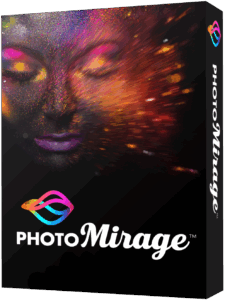 Corel PhotoMirage™ is a powerful and creative animation software designed to transform ordinary still photos into dynamic, endlessly looping motion graphics with remarkable ease. It combines the precision of image editing with the artistry of motion design, enabling users to breathe life into static visuals and turn them into engaging animations that capture attention in seconds. Perfect for photographers, digital artists, designers, social media creators, and marketing professionals, PhotoMirage bridges the gap between photography and video production. It empowers users to animate selected elements of an image like flowing water, drifting clouds, or flickering lights while keeping other parts perfectly still, creating a mesmerizing illusion of motion that keeps viewers captivated.
The software’s streamlined interface makes the animation process fast and intuitive. Using simple tools such as motion arrows and anchor points, users can precisely control how movement behaves within different areas of the photo. The built-in preview panel updates instantly, allowing you to refine every detail in real time before exporting. You can also adjust animation speed, direction, and looping behavior to achieve anything from subtle, natural movements to bold cinematic effects.
Corel PhotoMirage is not just about creative expression it’s also a practical solution for visual storytelling and brand promotion. It allows businesses and content creators to stand out on crowded digital platforms with visuals that move, attract, and hold attention. Whether you’re enhancing a product photo, adding life to travel shots, or creating an artistic visual for a campaign, PhotoMirage helps deliver professional-quality results without requiring any video editing experience.
The program supports a wide range of high-resolution image formats and exports your creations as MP4, WMV, or animated GIF files, optimized for different uses and devices. You can choose from custom output sizes and aspect ratios suited for web banners, digital signage, presentations, or social media posts on platforms like Instagram, Facebook, or YouTube.
Beyond its creative possibilities, PhotoMirage is designed for performance and efficiency. It renders animations quickly and produces lightweight files that retain sharp image quality while maintaining smooth playback. This makes it ideal for both desktop projects and online publishing.
In short, Corel PhotoMirage™ turns imagination into motion. It’s the perfect companion for anyone looking to add depth, emotion, and visual interest to their static images whether for personal art, business marketing, or professional creative work.
Key Features of Corel PhotoMirage™
- Intuitive Animation Tools : Use simple drag-and-drop motion arrows and anchor points to animate selected parts of your image. The real-time preview helps fine-tune the effect before exporting.
- Precision Control : Adjust motion speed, direction, and loop settings with pixel-level precision. The stabilization features ensure your animation flows naturally without distortion.
- High-Quality Output : Export animations in popular formats such as MP4, WMV, or GIF. Choose from custom resolutions and aspect ratios to fit social media platforms, websites, or digital ads.
- Real-Time Preview : Instantly see how your animation looks before rendering. The preview window gives immediate feedback on motion direction, speed, and blending.
- Easy-to-Use Interface : PhotoMirage’s clean and user-friendly layout is perfect for both beginners and professionals. No complex timelines or video-editing skills are required.
- Creative Versatility : Animate landscapes, portraits, or product photos. Add realistic effects like flowing water, flickering fire, moving skies, or waving fabric to create immersive visuals.
- Social Media Ready : Create looping animations optimized for Instagram, Facebook, or YouTube. The lightweight export files ensure smooth playback across devices and platforms.
- Customizable Export Options : Set custom frame rates, output quality, and playback duration to suit your needs. You can easily create both short looping clips and long cinematic animations.
- Lightweight and Fast Rendering : Unlike traditional video tools, PhotoMirage focuses on efficient motion rendering. Even on modest systems, it delivers high-quality results quickly.
- Ideal for Professionals and Hobbyists : From marketers and content creators to photographers and designers, anyone can use PhotoMirage to transform ordinary photos into dynamic, share-worthy visuals.
| Product | Corel PhotoMirage™ |
| Developer | Corel Corporation |
| Homepage | Homepage |
| License Type | Limited Trial / Shareware |
| Maximum Retail Price | $69.99 |
| Supported OS | Windows | Windows 10, Windows 8/8.1, Windows 7 with the latest service pack (64-bit or 32-bit editions) |
| Linux | Not Supported | |
| macOS | Not Supported | |
| Android | Not Supported | |
| iOS / iPadOS | Not Supported | |
| CPU | Intel Core i3 or AMD A4 3.0 GHz or faster processor | Intel Core i5/i7 or AMD Athlon A10 or higher for Full HD/4K output support | |
| RAM | 2 GB of RAM (4 GB recommended for 2K/4K project preview and output support) | |
| Disk Space | 500 MB (1 GB recommended) | |
| Windows | Buy Corel PhotoMirage™ | (Limited Period Offer) 50% OFF | Buy Now |
| Windows | Free Download Corel PhotoMirage™ (online Installer) |