Readiris™ Pro 17 (Windows & Mac)



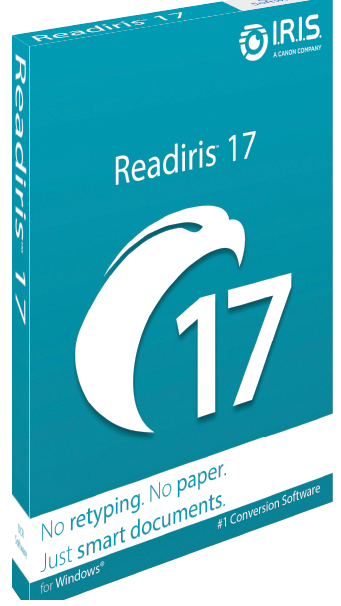 Readiris™ Pro 17 is a well-balanced PDF and OCR software designed for individuals, freelancers, and small businesses that want an easy way to digitize, edit, and manage documents. It brings together reliable optical character recognition (OCR), PDF editing, and file conversion tools in one simple package. The software’s main goal is to save users from retyping or manually reproducing printed documents—something it does remarkably well.
The updated interface of Readiris™ Pro 17 feels cleaner and more intuitive than older versions, making it easier to scan, convert, or edit documents in just a few clicks. Whether working with scanned paper files, PDFs, or images, the software automatically recognizes text and preserves the layout with impressive accuracy. Converted documents can be exported to formats like Word, Excel, PDF, HTML, TXT, or even ePub.
Beyond its strong OCR engine, Readiris™ Pro 17 also provides solid PDF management tools. You can create, merge, edit, and annotate multipage PDFs, as well as add comments, highlights, and drawings to collaborate more effectively. The built-in PDF compressor helps reduce file sizes up to ten times, making it easier to store and share documents without losing quality.
One standout feature is the ability to edit text embedded within images, a useful function for quickly updating scanned graphics or correcting captions without switching between multiple tools. Readiris™ Pro 17 can also convert written documents into audio files (MP3 or WAV), allowing you to listen to books, articles, or reports on the go.
For added flexibility, the software supports working across devices—you can access your documents from a computer, tablet, or smartphone. It also includes options to protect and sign PDFs, giving users control over security and authenticity when sharing sensitive information.
Overall, Readiris™ Pro 17 is a capable, time-saving tool for anyone who regularly works with scanned files or PDFs. It’s efficient, accurate, and versatile enough to handle most document conversion and editing needs without requiring complex setup or professional training.
Key Features of Readiris™ Pro 17
Converts scans, images, and PDFs into editable and searchable formats (Word, Excel, PDF, TXT, HTML, ePub)
Advanced OCR technology with accurate text and layout recognition
Create, edit, merge, and annotate multipage PDF files
Add comments, highlights, and drawings with built-in PDF annotation tools
Edit text directly embedded within images
Convert documents into audio files (.mp3, .wav) for easy listening
Compress searchable PDFs up to 10× smaller for faster sharing and storage
Protect and digitally sign PDF files
Aggregate and split PDFs for better document organization
Access and manage your documents from any device
| Product | Readiris™ Pro 17 (Windows & Mac) |
| Developer | IRIS S.A (Canon Company) |
| Homepage | Homepage |
| License Type | Trial / Shareware |
| Maximum Retail Price | 99 |
| Supported OS | Windows | Windows® 10, Windows® 11 |
| Linux | Not Supported | |
| macOS | macOS 11 and above | |
| Android | Not Supported | |
| iOS / iPadOS | Not Supported | |
| CPU | 1.5GHz or higher intel /AMD Processor | |
| RAM | 8 GB or More | |
| Disk Space | 2 GB or More | |
| Windows | Free Download Readiris™ Pro 17 Trial (Windows) | |
| macOS | Free Download Readiris™ Pro 17 Trial (Mac) |