Roxio Creator NXT Pro 9



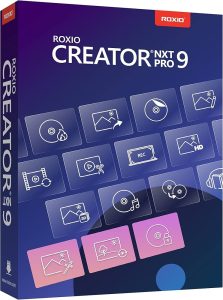 Roxio Creator NXT Pro 9 is an all-in-one multimedia software suite crafted for users who demand flexibility, power, and creativity from a single platform. Whether you’re a casual user looking to edit home videos or a content creator in need of professional-grade tools, Creator NXT Pro 9 brings everything you need into one robust package. This latest version offers improved performance, enhanced compatibility with Windows 11 and 10, and a refined interface that simplifies even the most complex editing tasks.
At its core, Roxio Creator NXT Pro 9 combines disc burning, video editing, photo enhancement, audio mastering, media conversion, and data security. It enables you to seamlessly capture, edit, convert, and burn media in various formats with drag-and-drop simplicity. With support for CD, DVD, and Blu-ray burning (plug-in required for Blu-ray), you can archive memories or distribute projects with professional-style menus and customizable templates.
What elevates the Pro edition is the inclusion of premium applications like Corel PaintShop Pro 2021 for high-quality image editing and PhotoMirage Express for creating mesmerizing photo animations. These tools provide capabilities far beyond basic photo enhancements offering layers, filters, masking, retouching, and RAW image support.
Roxio also includes MultiCam Capture & Editing, allowing users to record their screen and webcam simultaneously perfect for tutorials, unboxing videos, presentations, or game streaming. Combine this with VideoWave, the advanced video editing platform included in the suite, and you have the ability to cut, trim, apply effects, and even overlay audio with professional transitions and filters.
Beyond creativity, Roxio NXT Pro 9 doesn’t skimp on security and utility. You can burn encrypted discs and USBs with WinZip Secure Burn 5, ensuring your personal or business data stays protected. The suite also offers BackOnTrack for file backup and recovery, and Roxio Genie to clean up and optimize your PC for better performance.
In addition, Roxio Creator NXT Pro 9 extends its value with a wide array of utility tools designed to enhance productivity and system performance. The suite includes tools for disc labeling, file organization, and backup, making it more than just a creative toolkit—it’s a complete digital management solution. With Roxio Genie, you can automatically clean up your hard drive, remove unnecessary files, and free up storage space, while BackOnTrack helps safeguard your important files with scheduled backups and recovery options in case of data loss.
The built-in media converter allows you to convert audio, video, and image files to virtually any format you need. Whether you’re preparing media for social media platforms, mobile playback, or DVD burning, you can count on smooth, reliable file conversion and compression. Upload your finished videos directly to YouTube, Facebook, or other online platforms, or export them for playback on smartphones, tablets, or gaming consoles with ease.
Disc authoring is also a highlight of the suite. You can create polished DVDs and Blu-ray discs complete with customizable menus, chapters, and background music. Use pre-designed menu templates or personalize your own to make your discs truly unique perfect for weddings, family events, or business presentations.
Roxio also provides WinDVD Lite, a high-quality video playback utility that supports a wide range of formats. This ensures that you can watch your video projects in full quality right within the suite, eliminating the need for third-party video players.
The user interface of Roxio Creator NXT Pro 9 is designed with both novices and experienced users in mind. Easy-to-navigate dashboards, drag-and-drop functionality, and clear tool categorization make it accessible to all levels of users. Whether you’re working on complex multimedia projects or simply burning a music CD, you’ll find the process efficient and intuitive.
Overall, Roxio Creator NXT Pro 9 stands out as a versatile, high-performance multimedia suite that goes far beyond the basics. It’s not just for creators it’s for anyone who values creativity, organization, and data protection in one comprehensive software bundle.
Key Features of Roxio Creator NXT Pro 9
1. MultiCam Capture & Editing : Capture synchronized video and audio feeds from multiple cameras and your screen simultaneously. With MultiCam Editor, you can shift between camera angles and sync footage effortlessly.
2. VideoWave Advanced Editing & Effects : Trim, rotate, apply color correction, overlay text, and create picture-in-picture effects using VideoWave Editor. Includes pro-level enhancements like audio ducking, paint-filter effects, and 360° video conversion.
3. Burn, Copy & Author Discs : Leverage drag-and-drop tools to burn, copy, and author CDs, DVDs, & Blu‑ray (with plug-in). Supports custom menu creation using the Template Designer for polished disc output.
4. Encryption & Secure Burning : Use WinZip Secure Burn 5 to encrypt and password-protect data across discs and USBs in Windows- and Mac-compatible formats ideal for secure sharing.
5. Pro-Grade Photo Editing & Animation : Enjoy enhanced photo editing and design with Corel PaintShop Pro 2021, PhotoMirage Express for photo animations, and AfterShot 3 for RAW editing and batch processing.
6. Audio Capture & Advanced Editing : Capture audio from online sources, CDs, vinyl, or tapes. Edit with noise reduction, time stretching, pitch scaling, multi-channel mixing, and automatic beat-matching for seamless audio projects .
7. Media Conversion & Sharing : Convert video, audio, and image files into popular formats (MP4, MP3, JPEG, etc.) for easy sharing to YouTube, social media, and mobile devices, or prepare them for disc burning.
8. Utility Tools & Disc Labelling : Includes Roxio Genie for cleaning and organizing your hard drive, tools for backup and archiving, plus disc labeling and playback capabilities via WinDVD Lite .
9. Simplified Help & Workflow : Access online, searchable help documentation and tutorials in a unified repository optimized to speed up learning and streamline your creative workflows
Input Formats:
- Video: AVI, DV, HDV, DV-AVI, MPEG-1/2/4, MPEG2-HD, DVD-Video, DVR-MS, ASF, MOV (AVC), WMV, 3GP, MPEG2 Transport Stream, AVC (H.264), HEVC (H.265)1, AVCHD, 3D over/under full and half-height, side-by-side full and half-width, 3D MPO
- Audio: Audio CD, MP3, WAV, WMA, AAC, Ogg Vorbis, FLAC, M4a, MP4, Playlists (WPL, ASX, M3U), AC3
- Image: 3D MPO, JPG, PNG, TIFF, BMP, GIF
Output Formats:
- Video: AVI, DV-AVI, HDV, MPEG-1/2/4, MPEG-2 HD, WMV, WMV HD, AVC (H.264), HEVC (H.265)1, AVCHD, 3GP, 3D MPO, 3D side-by-side full and half-width, over/under full and half-height, anaglyph red/cyan
- Audio: MP3, WAV, WMA, Ogg Vorbis, FLAC, MPEG-1/2, M4a, M4b, AAC, Playlists (M3U, WPL)
- Image: JPG, PNG, TIFF, BMP, GIF, 3D MPO
- Video disc formats: DVD, Mini DVD, Blu-ray2
- Data disc formats: CD-R/RW, DVD+R/RW, DVD-R/RW, DVD-R DL, DVD+R DL, DVD-RAM, BD-R/RE, BD-R/RE DL, BDXL
- Disc image formats: read ISO, C2D, BIN/CUE, and GI; write ISO
| Product | Roxio Creator NXT Pro 9 |
| Developer | Corel Corporation |
| Homepage | Homepage |
| License Type | Shareware |
| Maximum Retail Price | $129.99 |
| Supported OS | Windows | Windows® 10, Windows® 11 |
| Linux | Not Supported | |
| macOS | Not Supported | |
| Android | Not Supported | |
| iOS / iPadOS | Not Supported | |
| CPU | Intel Core i3, i5, i7, i9 | AMD Ryzen 3, 5, 7, 9, Threadripper, EPYC | |
| RAM | 16 GB or More | |
| Disk Space | 10 GB or More | |
| Windows | Buy Roxio Creator NXT Pro 9 | $30 OFF | Buy Now |
| Windows | Download Roxio Creator NXT Pro 9 | Download Now |